
Shift scheduling and attendance tracking software for hotels
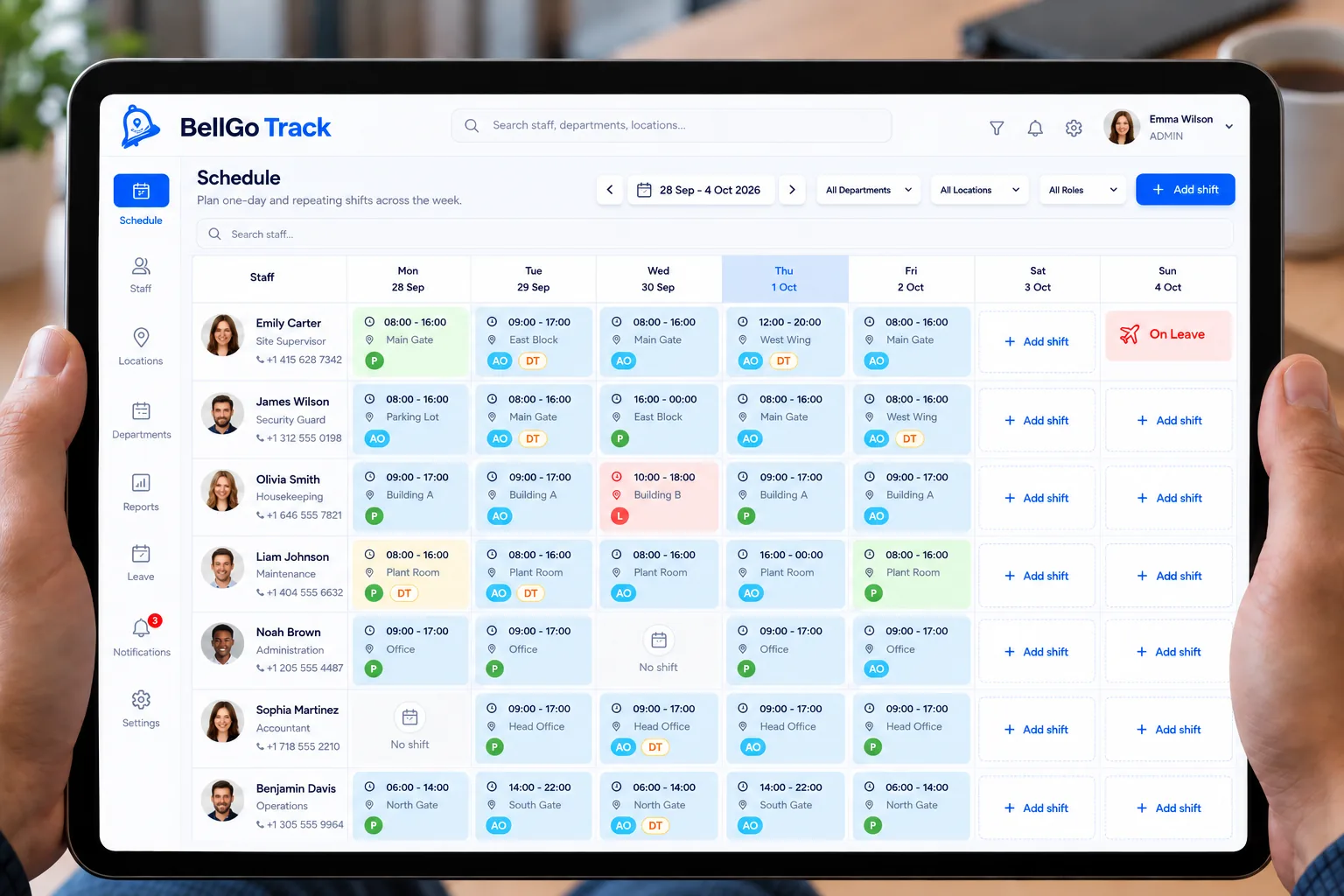
Front desk, housekeeping, food and beverage, and maintenance work different hours 365 days a year. BellGo Track organizes shifts for each department, verifies who showed up and turns actual hours into payroll.
- Shifts by department and by floor
- Cleaning checklists with photo evidence
- Night, overtime and holiday hours calculated
What makes running a hotel hard
Shifts that change every day
Occupancy goes up and down, and schedules in Excel or WhatsApp groups are out of date before they go out.
Last-minute absences
When someone doesn't show up, finding a replacement happens over the phone, and the room or the shift goes uncovered.
Payroll with lots of rules
Night shifts, holidays and overtime are calculated by hand, and every pay period close brings corrections.
How BellGo Track helps every hotel department
One system to plan shifts, verify attendance, assign tasks and pay for the hours actually worked.
Shifts by department
Build the calendar for front desk, housekeeping, food and beverage, and kitchen. The week repeats, and you only adjust the days that change.
See the featureRoom cleaning checklists
Assign rooms to each housekeeper with task checklists and before-and-after photos as evidence.
Covering absences
See right away who hasn't clocked in and reassign the shift to someone else who is available.
See the featureFace recognition attendance
Staff clock in and out from their phone with their face and GPS. No cards or shared time clocks.
See the featureNight, overtime and holiday hours
Set multipliers for overtime and holidays, and BellGo Track applies them to verified hours.
See the featureLive view of the whole hotel
See who is on shift in each area and which tasks are still pending, without walking the floors.
See the featureHow to get started at your hotel
- 1
Create your departments
Add the hotel areas and the staff in each one.
- 2
Publish the week
Build shifts on the calendar and let the pattern repeat.
- 3
Assign tasks and rooms
Create cleaning checklists and tasks with photo evidence for each shift.
- 4
Close payroll
Verified hours, with their multipliers, are ready for payroll.
Explore the features
Face recognition attendance
Mobile clock-in with face match, liveness check, GPS and fake-location blocking.
Learn moreQR and NFC guard tours
Physical checkpoints staff scan on every tour, with alerts for missed points.
Learn moreShift scheduling
A shift calendar by day and site that repeats every week and changes one day at a time.
Learn morePayroll and overtime
Verified hours turned into payroll with your rules for overtime, holidays and leave.
Learn moreLive tracking
A live map of who is on shift, where they are and which geofences are breached.
Learn moreFrequently asked questions
How do you organize hotel shifts with BellGo Track?
From the web portal, you place each person on the calendar by day and department. That pattern repeats every week, and you can change a single day when occupancy calls for it.
Do staff need a time clock?
No. Each person clocks in and out from the app on their phone, with face recognition and GPS, which prevents someone else from punching in for them.
Can it calculate night shifts and holidays?
Yes. You set the overtime and holiday multipliers in the payroll settings, and BellGo Track applies them to each person's verified hours.
Can it be used to track room cleaning?
Yes. You can assign rooms with task checklists and require before-and-after photos, so supervisors can see what is ready without walking every floor.
See BellGo Track with your own operation
A 15-minute walkthrough shaped around how your team works.