
Attendance tracking and scheduling for restaurants
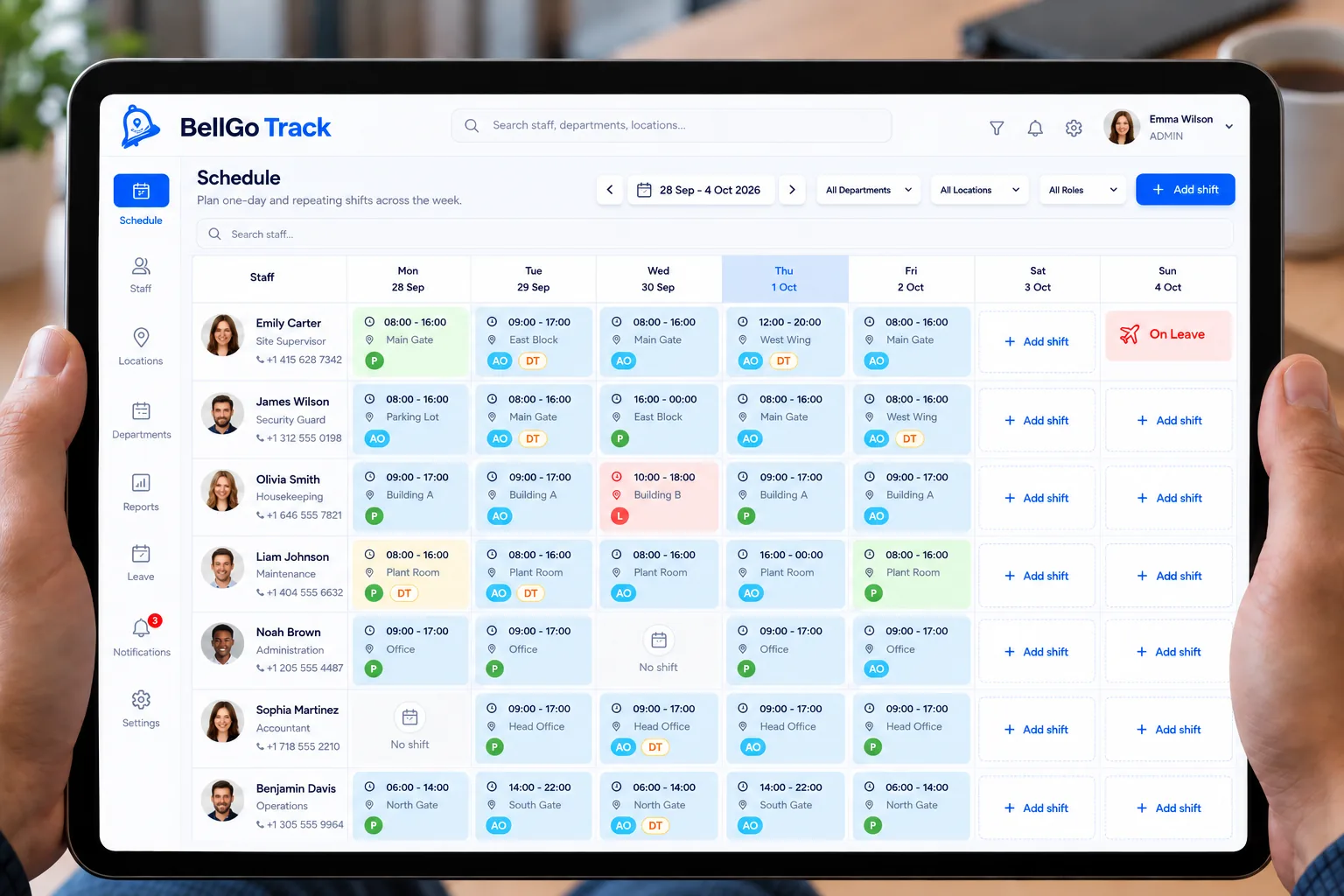
Kitchen, bar and dining room staff work split shifts that change with demand. BellGo Track organizes schedules for each area, records clock-ins, clock-outs and breaks, and walks staff through opening and closing checklists on their phone.
- Split shifts by area
- Meal and break tracking
- Opening and closing checklists
The hardest parts of managing restaurant staff
Schedules that change every week
Split shifts, extra staff for peak hours and last-minute changes throw any spreadsheet into disorder.
Breaks with no record
Without a clear record of meals and breaks, discrepancies and disputes come up at payday.
Incomplete openings and closings
Hygiene, inventory and equipment are checked from memory, and whatever gets forgotten shows up the next day.
Tools for the kitchen, bar and dining room
Clear schedules, verified attendance and tasks that don't depend on memory.
Split shifts
Schedule split shifts for kitchen, bar and dining room, and add staff for the busiest hours.
See the featureBreak tracking
Meal and rest breaks are recorded, and unpaid breaks are deducted from payroll.
See the featureOpening and closing checklists
Hygiene, inventory and equipment on a checklist on the phone, with a photo when needed.
Face recognition attendance
Clock in and out from the phone with face and GPS. No buddy punching.
See the featureLive attendance dashboard
See who arrived on time and whether each area is covered for service.
See the featureOvertime and holidays
Set multipliers for overtime and holidays and pay based on verified hours.
See the featureHow to get started at your restaurant
- 1
Create your areas
Add kitchen, bar, dining room and the staff in each one.
- 2
Build the schedules
Schedule the week's split shifts on the calendar.
- 3
Set up the checklists
Create opening and closing checklists and assign them to each shift.
- 4
Pay for hours worked
Verified hours, with breaks and overtime, are ready for payroll.
Explore the features
Face recognition attendance
Mobile clock-in with face match, liveness check, GPS and fake-location blocking.
Learn moreQR and NFC guard tours
Physical checkpoints staff scan on every tour, with alerts for missed points.
Learn moreShift scheduling
A shift calendar by day and site that repeats every week and changes one day at a time.
Learn morePayroll and overtime
Verified hours turned into payroll with your rules for overtime, holidays and leave.
Learn moreLive tracking
A live map of who is on shift, where they are and which geofences are breached.
Learn moreFrequently asked questions
How do I track my restaurant staff's attendance?
Each person clocks in and out from the BellGo Track app on their phone, with face recognition and GPS. You see live who arrived and when.
Can I schedule split shifts?
Yes. The calendar supports split shifts by area and repeats every week, with one-off changes whenever you need them.
Are meal breaks recorded?
Yes. Breaks are recorded, and unpaid breaks are automatically deducted from payable hours.
Does it work for multiple locations?
Yes. You can manage multiple locations from the same web portal and see attendance at each one.
See BellGo Track with your own operation
A 15-minute walkthrough shaped around how your team works.